Switch to Linux EP:1
For Youtube Ep: 1#
Choosing a distro#
when choosing a distro there are 2
- Look for the correct Desktop Environment
- What Hardware you are going to install Linux to
- Check for the popularity of the distro
- Check for the Distro Release Cycle
- The unique features of the distro
1. Look for the correct Desktop Environment:#
What is a Desktop Environment?#
A Desktop Environment is the Graphical User Interface Experience of a linux distro. Essential it defines how the desktop works and how you will interact with your computer.
In this Video we will be focusing on Desktop Linux
What Desktop Environment Should You Choose?#
There are a few that I would recommend:#
- Kde Plasma
- Gnome
- Cinnamon
KDE PLASMA:#
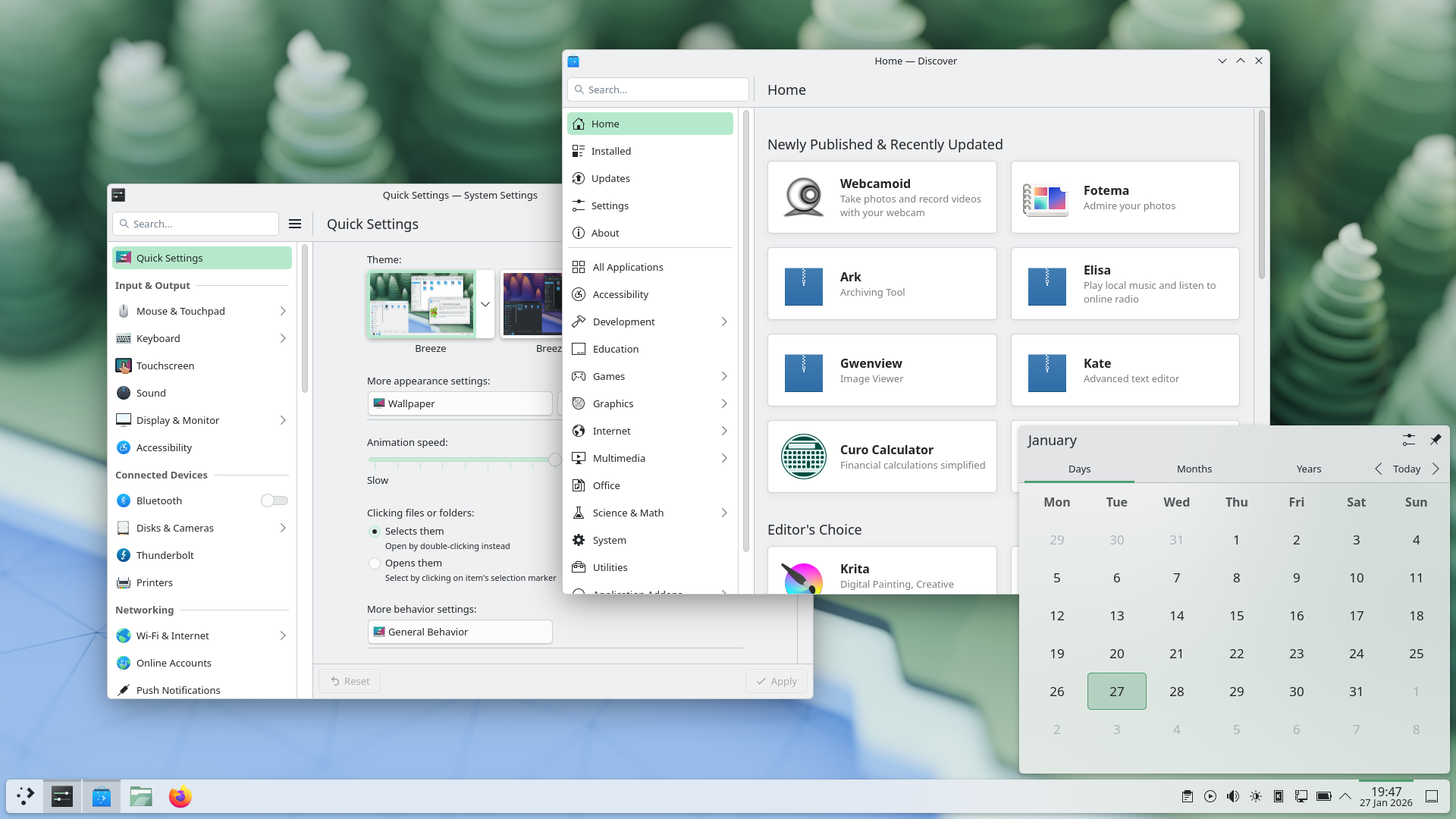 This is a customizable and powerful and polished Desktop Environment that is really good and by default it has a windows like layout but can be customized to fit the users needs easily.
GNOME:#
 This is a fast and efficient and opinionated Desktop Environment
CINNAMON:#
 Cinnamon is like a mix of gnome and kde with a welcoming gesture for windows users
2. What Hardware you are going to install Linux to:#
Hardware compatibility issues#
Some times linux does not play well or is incompatible with certain devices like printers, etc.
Examples include:
- Nvidia Gpu
- some mouse and keyboard which only work with a windows driver
- Some Thunderbolt Hubs
- etc
3. Check for the popularity of the distro:#
Believe it or not the popularity of the distro is something which can be a important factor of your experience.
The popular your distro is, the more people will use the distro, and more people who will come across the same issue you might come across.
If we chose a distro which is not well known might result in less support.
5. Check for the Distro Release Cycle:#
The distro release cycle is the update cycle of the linux distro.
For Example:#
Fedora Linux: New Version every 6 month and security updates per release for 13 months.
Debian Stable: New Version every 2-3 years and security updates per release for 5 years.
Ubuntu LTS: New version every 2 years and security updates per release for 5 years.
Archlinux: Rolling Release (A rolling release distribution like Arch Linux continuously delivers the latest software updates and features without requiring full system reinstallation, keeping your system always current)
6. The unique features of the distro:#
Unique features of a distro can help u a distro.
For Example:#
Nobara Linux: Already setup with steam and proton ge and all stuff to get started with gaming without any issues.
Nix OS: A distro that can be configured and reproduced with a text file.
What distro i would recomend:#
Linux Mint:#
Linux Mint is one of the most user friendly linux distro in existence. It comes with cinnamon desktop by default and has flatpak by default, is based on ubuntu (debian for linux mint debian edition).
Pros:#
- User Friendly
- has a great selection of available (due to ubuntu packages/debian packages and flatpak packages)
- things like multimedia codecs are easier to install.
Cons:#
- uses older display technology(x11)
- the packages are a little bit older(mostly due to the nature of lts).
Fedora Linux:#
 Fedora Linux is one of the most solid linux distros that you can use today. It has multiple options for desktop including Gnome, Kde Plasma, Cosmic, Cinnamon, etc. It has a pretty good release cycle of new releases every 6 months and security updates for a release for 13 months.
Pros:#
- Many Options for desktop.
- Has a great selection of software with good support for flatpak.
- system packages are usually pretty new but still being stable.
Cons:#
- Multi media codecs are harder to install.
- usually only ships foss software unless 3rd party repos are enabled.
Nobara Linux:#
Nobara Linux is a fork of Fedora Linux. It comes with optimizations for games and other creative software(Wine, Obs Studio, Multimedia codecs, etc preconfigured). Has different iso files for nvidia gpus.
- Different Desktops Officially Supported:
- Official(kde with customizations)
- Gnome
- Kde
- Steam HTPC (Steam deck interface for pc)
- Steam Handheld (Steam Deck Interface for handheld computers)
Pros:#
- WINE, OBS, codecs, and third-party repositories preconfigured.
- Fedora With better optimization for games and creative work.
- Optional images with pre-installed NVIDIA drivers.
Cons:#
- Limited to a few desktop environment.